Overview
This Page will help you in the taking the Backup of your Installations.(for eg. If you want to have a Backup of WordPress Installation)
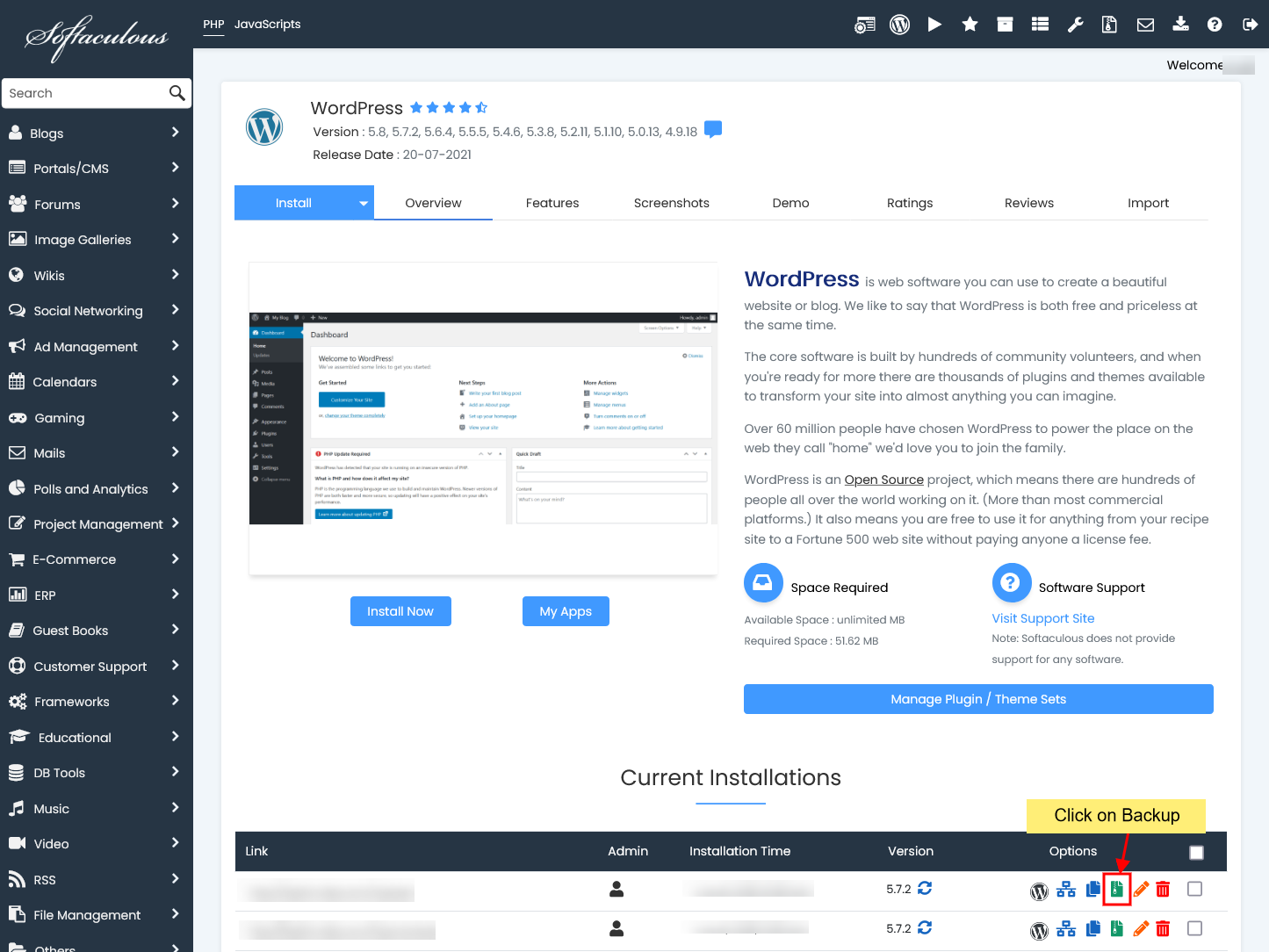
1) Click on the Backup icon as shown in the below figure.
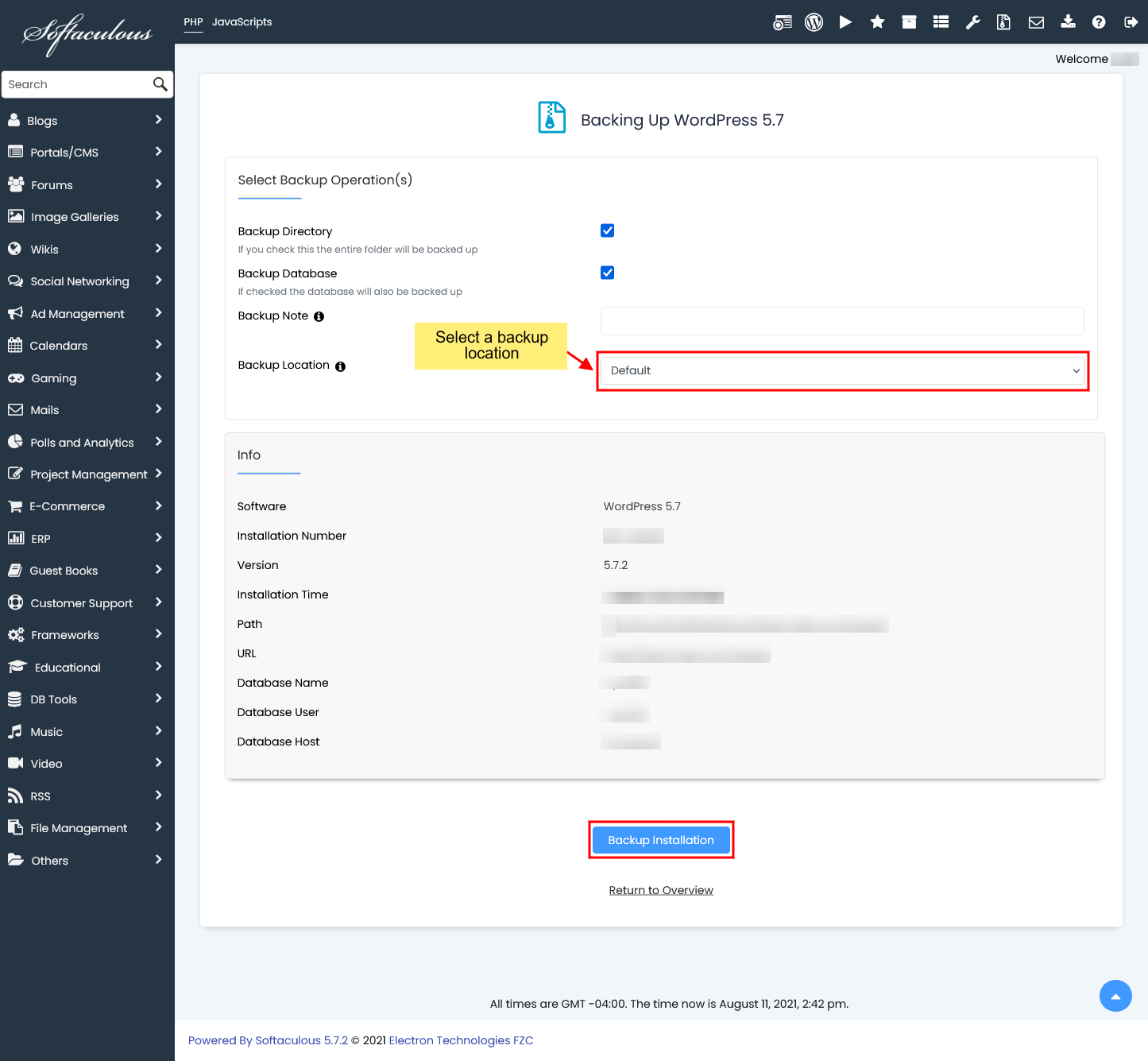
2) Then select a backup loction from the Backup Location dropdown and Click on the Backup Installation button.
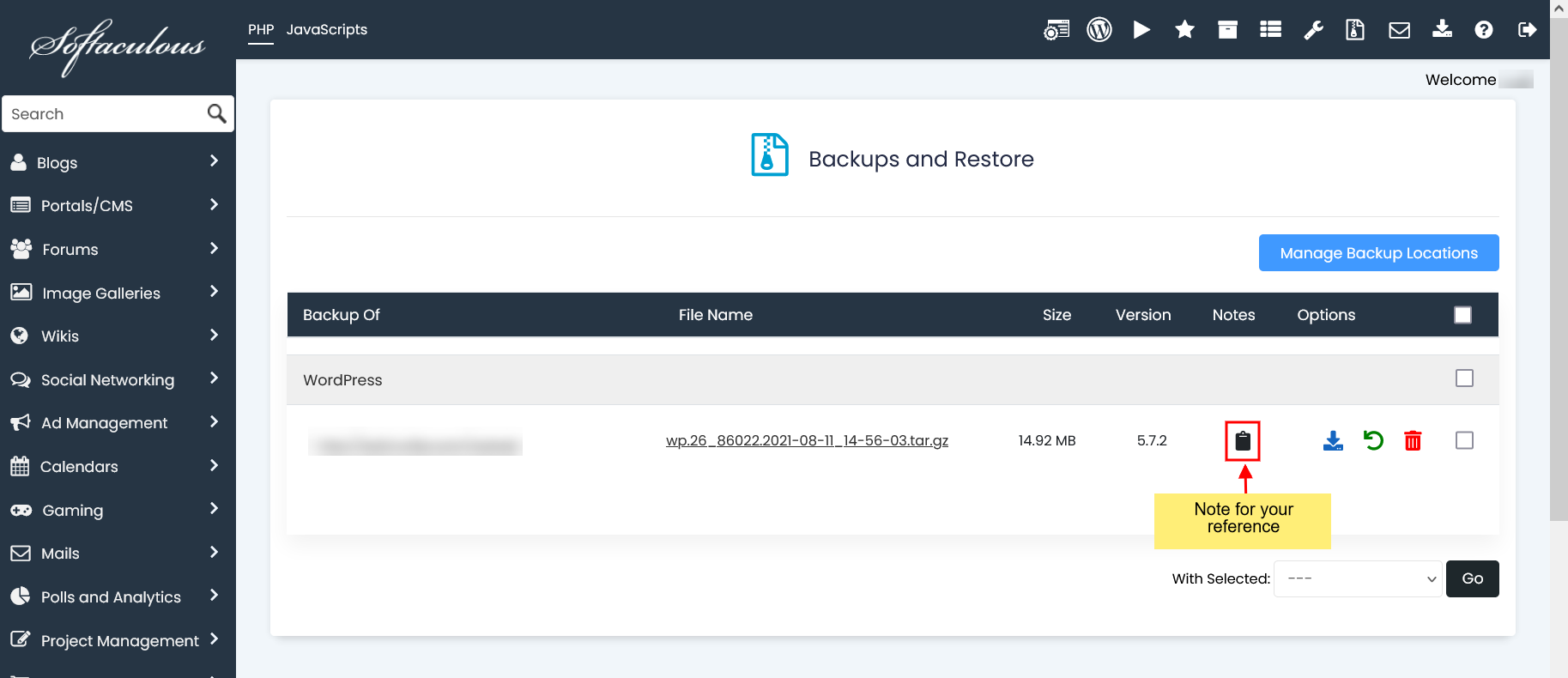
3) Once you click on the “Backup Installation”, the software backup will be created successfully and you can download it from the Backups page.

You can see the list of Backups on Backups page and see the Notes (if you have added the note while taking a backup).