
Overview
The following guide will show you how to install Softaculous on Interworx.
Requirements
- A server with Interworx
- If you have a firewall, then please allow access to all packages from *.softaculous.com
Note : Please allow access to the following domains to your firewall as these are the mirrors used to download the script packages.
142.132.212.2 #api.softaculous.com
192.198.80.6 #s0.softaculous.com
51.38.208.85 #s1.softaculous.com
37.27.68.87 #s2.softaculous.com
178.63.132.196 #s3.softaculous.com
95.216.2.79 #s4.softaculous.com
15.235.60.218 #s5.softaculous.com
103.167.178.2 #s6.softaculous.com
15.204.134.13 #s7.softaculous.com
46.250.225.249 #s8.softaculous.com
Installing Softaculous in Interworx
Note: Before starting the installation make sure ionCube Loaders are enabled. Otherwise you will not be able to Install Softaculous. The ionCube Loaders can be downloaded at the ionCube Downloads
Now SSH to your server and enter following commands:
wget -O install.sh https://files.softaculous.com/install.sh
chmod 755 install.sh
./install.sh
The Installer will start showing the Installation Processes and when done will indicate the same. NOTE: Scripts will be downloaded during this process. The Download Activity will also be shown on the screen.
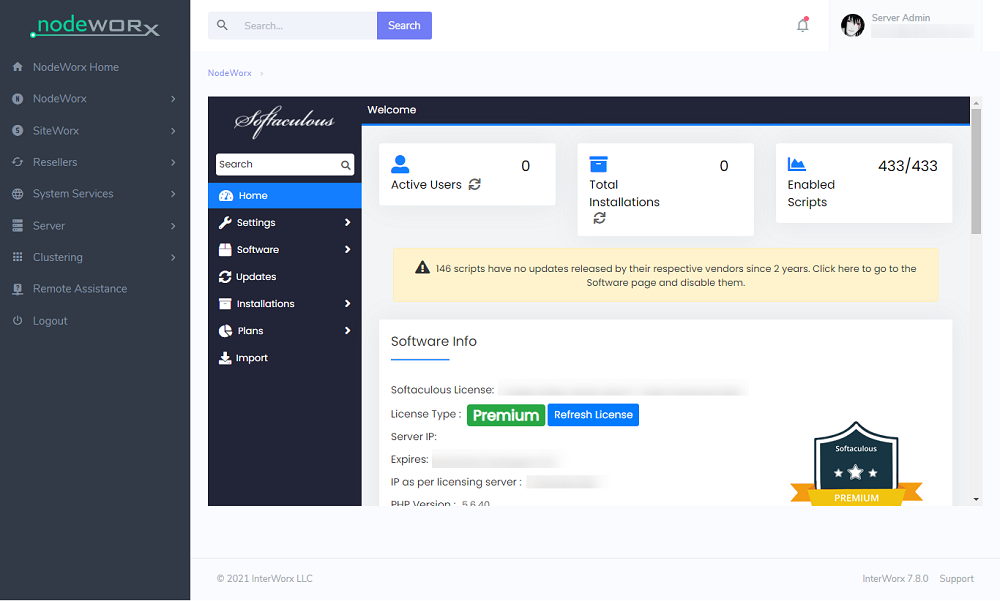
Now go to your control panel and access the Softaculous link and the following screen will appear if the Softaculous is installed successfully.
suPHP Settings
If you have suEXEC or suPHP enabled on your server, please read the suPHP Settings page for configuring Softaculous.
Thats it the installation of Softaculous is completed!
Quick Installation in Interworx
If you wish to finish the installation quickly and then download the script packages in background use this method.
Note: Before starting the installation make sure ionCube Loaders are enabled. Softaculous Installer requires Ioncube. Now SSH to your server and enter following commands:
wget -O install.sh https://files.softaculous.com/install.sh
chmod 755 install.sh
./install.sh --quick
Using Proxy settings
If you want Softaculous to use proxy settings then you can simply pass the parameters and Softaculous will use the proxy setting provided by you.
wget -O install.sh https://files.softaculous.com/install.sh
chmod 755 install.sh
./install.sh proxy proxy_ip=YOUR_IP:PORT proxy_auth=USERNAME:PASSWORD
Proxy Parameters :
- proxy_ip (Required) : Enter your Proxy server’s IP and port.
- proxy_auth (optional) : Enter the proxy server’s authentication details i.e. Username and Password