
Overview
The following guide will show you how to install Softaculous on cPanel.
Requirements
- A server with cPanel
- If you have a firewall, then please allow access to download all packages from *.softaculous.com
Note : Please allow access to the following domains to your firewall as these are the mirrors used to download the script packages.
162.55.80.8 #api.softaculous.com
103.168.196.0 #s0.softaculous.com
51.38.208.85 #s1.softaculous.com
37.27.68.87 #s2.softaculous.com
178.63.132.196 #s3.softaculous.com
95.216.2.79 #s4.softaculous.com
15.235.60.218 #s5.softaculous.com
51.38.94.231 #s6.softaculous.com
15.204.134.13 #s7.softaculous.com
148.113.15.242 #s8.softaculous.com
Installing Softaculous
Note: Before starting the installation make sure ionCube Loaders are enabled. You may refer to the following guide Enable_Ioncube_cPanel. Please make sure that the Ioncube loader is selected for the backend copy of PHP. Now SSH to your server and enter following commands:
wget -O install.sh https://files.softaculous.com/install.sh
chmod 755 install.sh
./install.sh
For new Softaculous installs Backuply Server will be installed by default. Backuply Server Pro license is included for Free with Softaculous Premium license and will be premium as long as Softaculous license is premium.
If you do not wish to install Backuply Server please execute the following install command :
wget -O install.sh https://files.softaculous.com/install.sh
chmod 755 install.sh
./install.sh --no-backuply-server
Now go to : WHM > Plugins (Add-Ons on older versions than 11) > Softaculous – Instant Installs
The following webpage will open if the installation was successful:
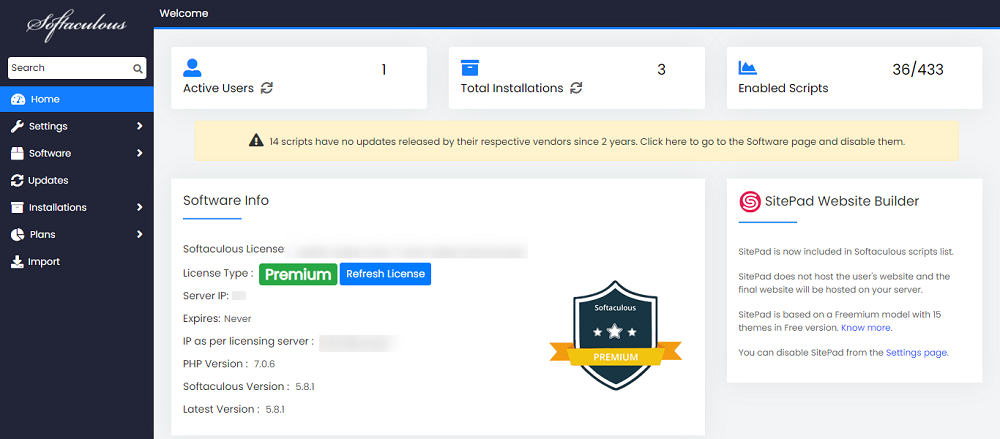
Thats it the installation of Softaculous is completed!
suPHP Settings
If you have suEXEC or suPHP enabled on your server, please read the suPHP Settings page for configuring Softaculous.
Thats it the installation of Softaculous is completed!
Quick Installation
If you wish to finish the installation quickly and then download the script packages in background use this method.
Note: Before starting the installation make sure ionCube Loaders are enabled. For that go to WHM and click on Tweak Settings. Please make sure that the Ioncube loader is selected for the backend copy of PHP. Now SSH to your server and enter following commands:
wget -O install.sh https://files.softaculous.com/install.sh
chmod 755 install.sh
./install.sh --quick
Dont use 3rd Party PHP
If you do not want Softaculous to use 3rd Party PHP binary then you can simply pass a parameter and Softaculous will use cPanel’s default PHP binary.
wget -O install.sh https://files.softaculous.com/install.sh
chmod 755 install.sh
./install.sh --nocpphp
Using Proxy settings
If you want Softaculous to use proxy settings then you can simply pass the parameters and Softaculous will use the proxy setting provided by you.
wget -O install.sh https://files.softaculous.com/install.sh
chmod 755 install.sh
./install.sh proxy proxy_ip=YOUR_IP:PORT proxy_auth=USERNAME:PASSWORD
Proxy Parameters :
- proxy_ip (Required) : Enter your Proxy server’s IP and port.
- proxy_auth (optional) : Enter the proxy server’s authentication details i.e. Username and Password