Overview
This guide will give you an overview of how to provide Support Access to our support staff so that you do not have to provide root access in our ticket system.
This option is available since Softaculous v6.3.2
How to Grant Support Access?
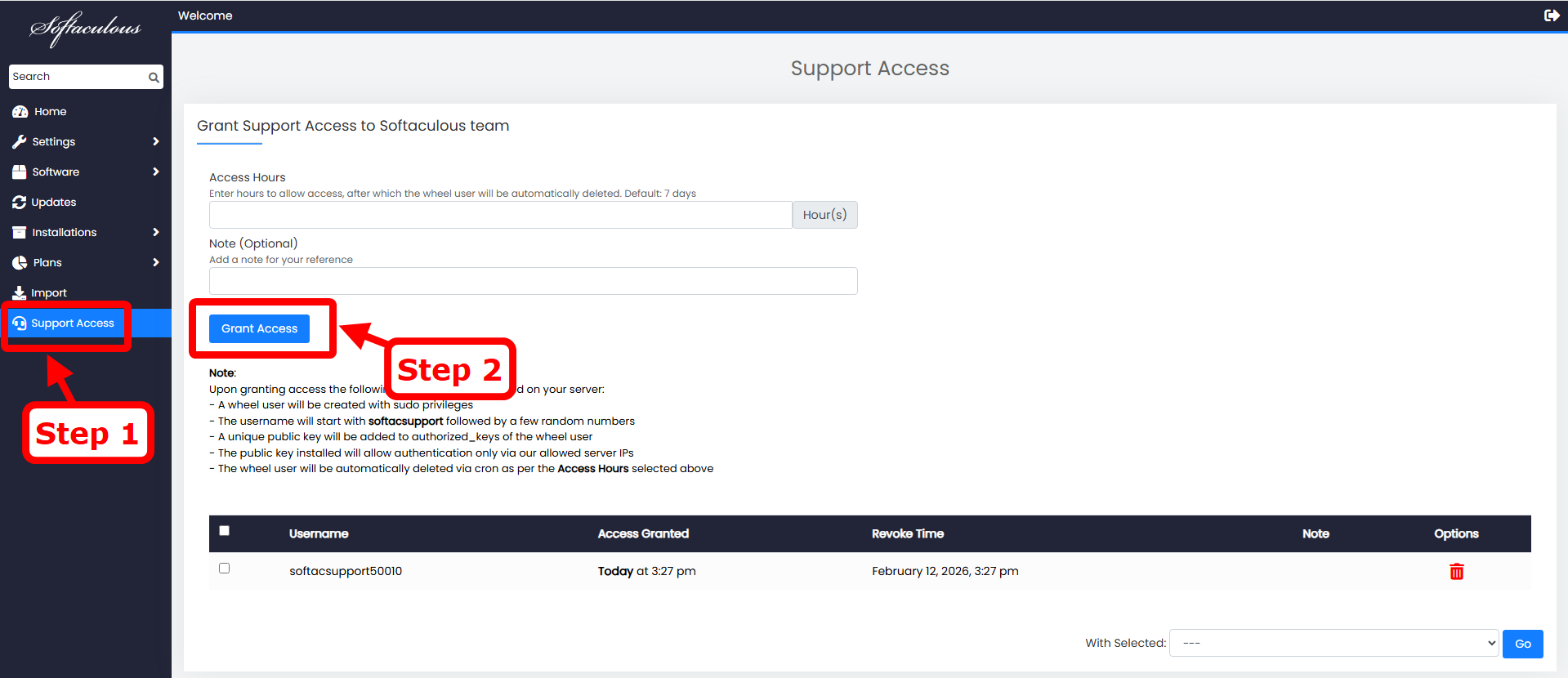
To grant Support Access for our staff, you will need to go to Softaculous Admin panel -> Support Access page.
Here you can choose how many hours you want to provide access to our support staff. By default, it will be 7 Days. After that time period, support access will be revoked automatically.
Now just share your server’s public IP with us in your ticket and we will handle it from there.
How to Revoke Support Access?
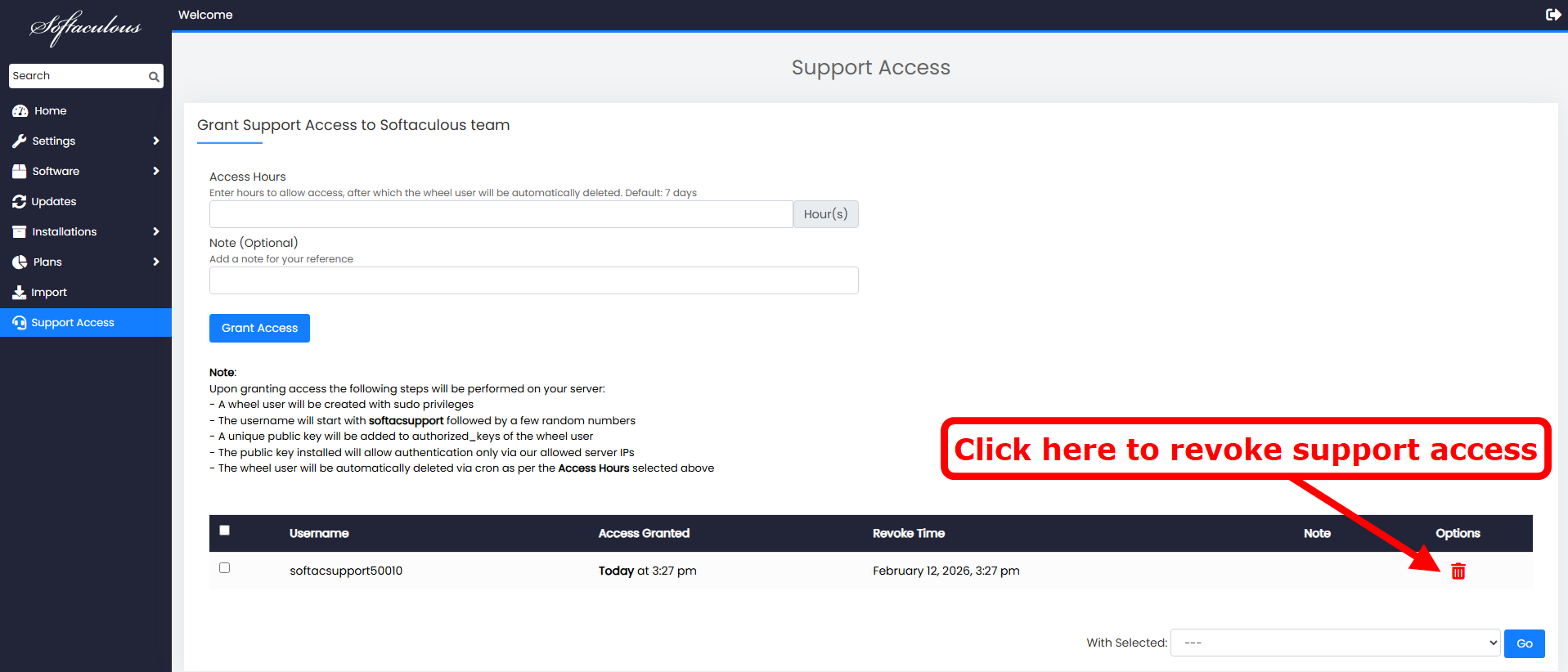
Once your issue is resolved. You can delete the user from Softaculous Admin panel -> Support Access wizard and our staff will not be able to connect to your server.